


D-ID: AI Video Generator
4.6338.00 Reviews
App Specs
- Version
- 1.2.41
- Updated On
- License
- Free
- Downloads
- 1,000,000+
- Developer
- D-ID
- Categories
- Video Players & Editors
- Platform
- Android, iOS
Screenshots
 Analysis by AppCompare
Have you ever wondered what it would be like to have your own AI-powered video generator? Well, you're in luck! I recently got my hands on D-ID: AI Video Generator, and let me tell you, it’s a game changer for content creators and anyone interested in video production. Let’s dive into the details and see why this app stands out.
A Useful Starting Point for Talking-Avatar Videos
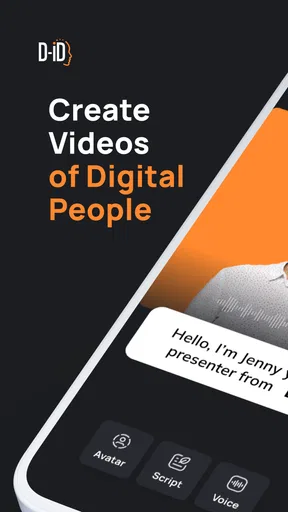
I see the clearest purpose here in turning a prepared idea into a presenter-style video, rather than replacing a full video-editing suite. D-ID is a video-creation app from D-ID, and its focus on an AI-generated speaking avatar gives it a different starting point from a conventional editor, where I would usually begin with recorded footage, a timeline, and a collection of clips.
That distinction matters when I need someone to deliver a short explanation but do not want to appear on camera or arrange a recording. A small business owner could use it to introduce a service, a teacher could prepare a brief explainer, or a creator could test whether a script works when spoken aloud. The useful output is not simply a video file; it is a quick way to give written material a human-presented format.
For instance, if I had to explain a change to a community group before the end of a busy day, I could draft the message as a short script, make a talking-avatar video, and share it where members already communicate. That workflow is most convincing when the message is straightforward and the audience benefits from hearing it spoken. It is less suitable for a personal announcement where viewers expect to see the real speaker, or for a story that depends on expressive acting and changing camera angles.
The app is free to install and is rated for Everyone, which makes it approachable for people exploring this kind of tool. Its average rating is 4.5 from around 51,000 ratings, and it has passed 1 million installs. Those figures suggest broad interest, but I would still judge it by whether an avatar presentation fits the job I actually need to do.
Effortless Video Creation
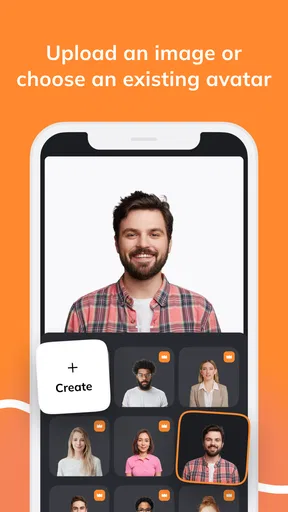
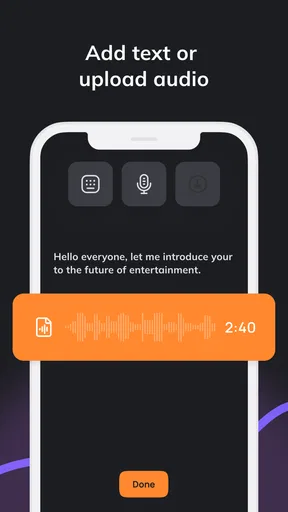
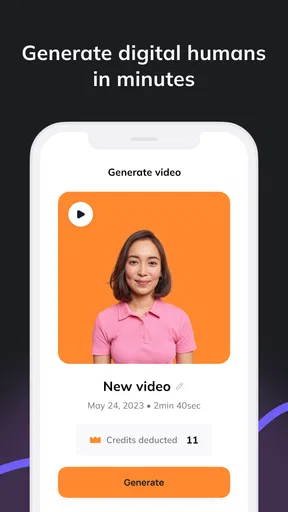
First off, the ease of use is what hooked me. I’m not a professional videographer by any means, but D-ID: AI Video Generator makes it seem like I am. The app employs AI technology to help you create videos with just a few taps. You simply upload your script or use their in-built text-to-speech feature, select a template or style, and voilà! A polished video is ready to be shared.
From Script to First Draft
That simple path is a good fit when I already know what I want to say. I would write the script before opening the creation flow, then read it aloud myself to catch sentences that look fine on screen but sound stiff. Short clauses, familiar words, and a clear opening make a spoken message easier to follow. If the first draft feels too long when read aloud, trimming it before generating anything is a practical way to avoid spending time polishing a video that is built around an overstuffed script.
Worth Reading Before You Choose

EA SPORTS FC Mobile 26 Is a Bigger Football Game, but It Takes Time

Flipboard Shows What News Apps Must Do Beyond the Feed

Switching to Android Auto Means Rethinking Your Driving Routine

Google Calendar Makes a Crowded Week Easier to Manage

Ludo King Makes the Most of the Minutes Between Plans

Baby Panda World Brings Quick Play to Modern Phones, but Its Game Library Feels Busy
Text-to-speech is useful when recording my own voice is not convenient, but I would treat it as a delivery choice rather than a guarantee of a natural performance. The message still needs to sound like something a person would say. I would also check names, abbreviations, and specialist terms in the script, since unusual wording can be awkward when spoken by an automated voice. A quick review of the result is worthwhile before sending it to an audience.
The avatar format also sets expectations. It can make an announcement feel more direct than a block of text, but it cannot supply evidence, demonstrations, or atmosphere that the script does not contain. If I were explaining a product feature, I would keep the spoken part focused and pair it with supporting material in a separate editor when visuals are essential. For a simple welcome or update, the talking presenter may be enough on its own.
Impressive Features
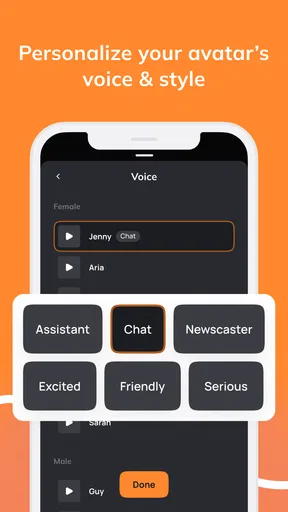
The feature set is what makes this app a must-have. It offers a variety of templates and styles, so there’s something for every occasion. Whether you’re creating a business presentation or a personal video message, the app has you covered. One feature that really caught my eye is the lip-sync technology. The AI seamlessly matches the speech to the video, making it look incredibly professional.
In practice, I would think of lip-sync as a visual aid, not a substitute for a carefully written script or a real presenter. The point is to make spoken content feel connected to the avatar on screen; it does not automatically make the message persuasive or emotionally convincing. A measured, informative script is a safer match than comedy, a heartfelt apology, or anything where subtle facial expression is central to the effect.
Templates and styles can help me settle on a visual direction without designing every detail from scratch. I would choose one that suits the context and keep the message consistent with it: a straightforward look for an instructional note, for example, rather than a playful treatment for serious information. A useful trade-off is that a template can speed up production while making the result feel less distinctive. If I need a recognizable brand identity or precise visual control, I would use a dedicated editor for the finishing work.
Making Revisions Without Losing the Point
My first pass would be about getting the message right, not chasing a perfect-looking result immediately. I would check that the opening explains why the viewer should pay attention, that the key information appears in a sensible order, and that the ending tells people what to do next. Only then would I revisit the chosen style or adjust the wording. This order helps keep the tool in its proper role: it turns a script into a presentation, while I remain responsible for clarity and accuracy.
When a line sounds unnatural, I would rewrite it instead of assuming a different visual style will solve the problem. I would also keep a clean copy of the script outside the video-making process. That makes it easier to reuse the text in an email, caption, or later revision, and avoids treating the generated video as the only home for an important message. For recurring updates, a consistent writing structure can save effort while leaving room to change the details each time.
There is a balance between speed and polish. Generating a first version can be much quicker than arranging a filmed presentation, but a creator still needs to review the spoken delivery and the overall fit. I would not send a draft straight to customers or students just because it looks finished. The more consequential the message, the more carefully I would check names, dates, instructions, and tone before sharing it.
User Experience
The user interface is sleek and intuitive. Even if you’re a first-time user, navigating through the app is a breeze. The developers have done a fantastic job ensuring that everything is straightforward, which is crucial when you’re trying to create content efficiently.
One thing I particularly appreciated is the app’s responsiveness. There’s nothing worse than an app that lags when you’re in the middle of a project. Luckily, D-ID: AI Video Generator runs smoothly on both Android and iOS platforms, which is a big plus in my book.
For a creator choosing between this and the usual alternatives, the main question is what the finished piece needs to do. A standard mobile editor is the better choice when I have footage to cut, want to assemble several scenes, or need detailed control over music, timing, and transitions. A camera-and-microphone workflow is better when a real person’s expression and voice are part of the trust or personality of the message. D-ID makes more sense when the central task is getting a prepared script delivered by a talking avatar.
It also works best as one step in a wider publishing process, rather than as the only creative tool I will ever need. I would use it to create the presenter segment, then decide whether the result needs additional editing or context before it reaches viewers. A creator who expects a complete production environment with granular timeline controls may find the format limiting. Someone who simply needs a concise avatar-led explanation may appreciate not having to build that complexity from the ground up.
Sharing and Practical Handoffs
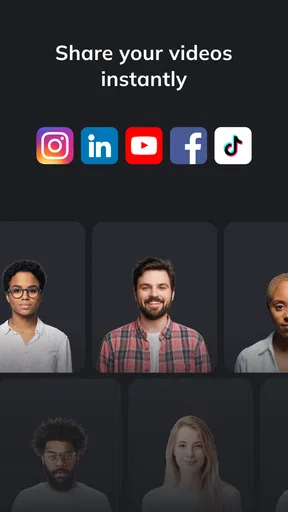
Another noteworthy aspect is the app’s integration capabilities. You can easily import your videos into other apps or share them directly on social media platforms. This makes it super convenient for those who are always on the go and need to push out content quickly.
Before publishing, I would check the video in the context where people will watch it. A message designed for a social feed should make sense without a long introduction, while a video sent to a colleague can rely on a little more surrounding explanation. I would also prepare any accompanying written text separately, so viewers can understand the purpose of the video before pressing play. That simple handoff step helps the avatar presentation feel like part of a considered communication rather than an isolated asset.
For an everyday workflow, imagine a local shop owner preparing a short notice about a change in opening arrangements. They can write the key details in plain language, use an avatar to present them, review the result for clear pronunciation and tone, and share it through the channel customers already follow. If the notice includes details that must be read precisely, I would include those in the post text as well. That gives viewers a quick spoken explanation and a dependable written reference.
For plans, it is worth being deliberate before committing to paid use. The app is free, with in-app purchases ranging from $5.99 to $799.99 per item. I would start by testing whether the avatar style and workflow suit the intended task, then check the purchase options inside the app against how often I expect to create videos. A casual user making an occasional personal clip may have different needs from a team producing regular communications, so I would not assume that the free starting point or any particular purchase is the right fit for every creator.
Who Will Get the Most from It
I think the strongest match is someone who regularly has useful information to present but does not want filming to become a project of its own. Independent creators, educators, small organizations, and people preparing straightforward internal updates can all benefit when a talking avatar is an acceptable stand-in for an on-camera speaker. It can also be handy for testing a script’s pacing before deciding whether a more involved production is worth the effort.
I would skip it when authenticity depends on showing the actual person speaking, when a subject needs detailed visual demonstration, or when the video calls for cinematic editing. It is also not the best answer for a creator who enjoys shaping every frame and sound by hand. In those cases, recording real footage and editing it in a conventional video app gives more control and can create a stronger connection with viewers.
There is a useful middle ground for people who are unsure. I would try a low-stakes message first, such as a short introduction or a simple explainer, and judge the result with the intended audience in mind. Ask whether the avatar makes the information easier to receive, whether the spoken wording feels natural, and whether the style suits the subject. If the answer is no, that is a sign to change the script or choose a different production method, not a reason to force every idea into an avatar video.
Why You Should Try It
If you’re a content creator, marketer, or even someone who just loves making fun videos, I highly recommend giving this app a try. It’s not just about creating videos; it’s about creating engaging and professional-looking content with minimal effort. The app’s AI capabilities are truly impressive and provide a seamless experience that will save you time and enhance your creativity.
That recommendation comes with a specific caveat: the best result depends on choosing a message that suits the format. If the audience needs a clear, quick explanation, an avatar can make the content feel more presented than a plain text post. If the audience needs the speaker’s real personality, a demonstration, or detailed visual storytelling, I would reach for another method instead. The app is most useful when it removes a production obstacle without pretending that every video has the same needs.
The current version is 1.2.41, and the app requires Android 7.0 or later. I would check that my device meets that requirement before planning a workflow around it. Since it is a tool for making and sharing media, I would also review each finished video as a viewer would, rather than judging it only from inside the creation process. A message that reads well in a script can still need a final pass once it is presented aloud.
A Practical Creator Verdict
Overall, D-ID: AI Video Generator is a fantastic tool for anyone looking to step up their video creation game. It’s packed with features that cater to both beginners and seasoned creators. So, go ahead, download it, and let your creative juices flow!
My more practical verdict is that I would reach for it when I have a clear script and need a talking-avatar presentation without setting up a camera. Its easy starting point, style choices, and speech-matched presentation make that workflow appealing, while its limitations are just as important: it is not a replacement for hands-on editing, real footage, or a genuine person’s presence when those are what the story needs.
With a 4.5 average and more than 1 million installs, it has attracted a substantial audience, but the right decision still comes down to fit. I would recommend trying it for a concise announcement, explainer, or draft presentation, then deciding whether the result feels appropriate for the people who will watch it. If it does, D-ID can help turn a written idea into a shareable video; if it does not, a camera or a conventional editor is the better tool for that particular job.
Pros
- Intuitive interface for easy editing.
- Wide range of customization options.
- Supports multiple video formats.
- Fast rendering and export times.
- Integrates with social media platforms.
Cons
- Limited free version features.
- Occasional app crashes reported.
- High-quality exports require subscription.
- Resource-intensive on older devices.
- No offline editing capabilities.
FAQs for D-ID: AI Video Generator
What is D-ID: AI Video Generator?
D-ID: AI Video Generator is an innovative app that allows users to create realistic AI-generated videos from simple text inputs. It leverages advanced artificial intelligence to transform written content into engaging video formats, making it perfect for content creators, marketers, and educators looking to enhance their multimedia projects.
How does the AI video generation process work?
The app utilizes sophisticated AI algorithms to interpret text inputs and generate corresponding video sequences. Users input their desired text, and the AI processes this data to create a visually appealing video, complete with animations and graphics. This automation simplifies video creation, saving users both time and effort.
Is the app user-friendly for beginners?
Yes, D-ID: AI Video Generator is designed with an intuitive interface, making it accessible for users of all experience levels. The app offers guided steps and tutorials to help new users navigate its features, ensuring a smooth and hassle-free video creation process, even for those without prior experience in video editing.
What are the system requirements for using D-ID: AI Video Generator?
To use D-ID: AI Video Generator, you will need a device running on either Android or iOS with at least 4GB of RAM and a stable internet connection. The app is optimized for performance on modern smartphones and tablets, ensuring compatibility and smooth operation across various devices.
Are there any subscription fees or in-app purchases?
D-ID: AI Video Generator offers a free version with basic features, but users can opt for a subscription to access premium content and advanced tools. The subscription model provides additional resources and capabilities, such as higher quality video exports and exclusive templates, catering to professional and enthusiastic users alike.


